A place for every lesson.
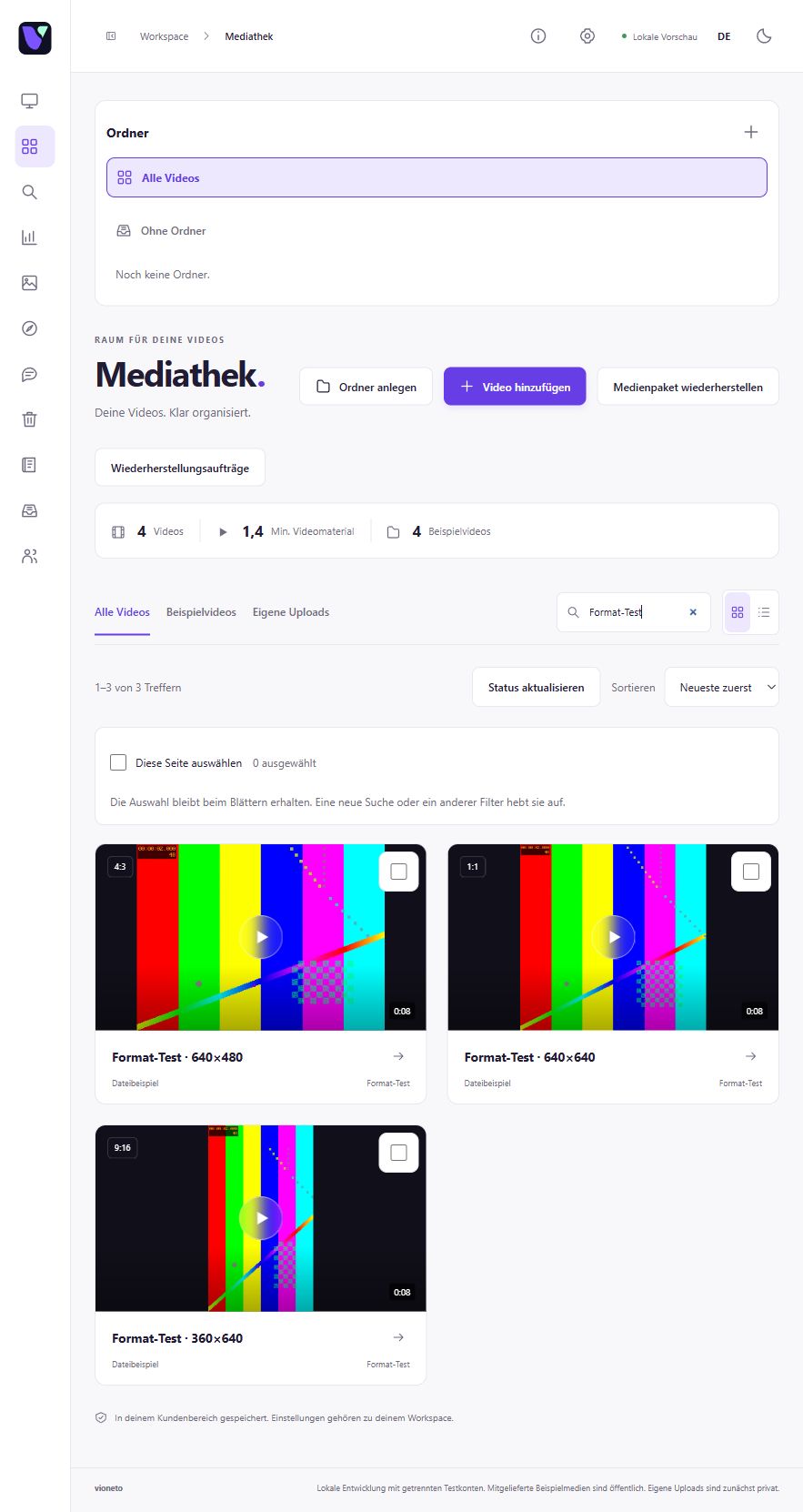
Create folders for your topics and subfolders for related lessons. Find your videos and their settings again in the media library.
Explore the media library

Video hosting for your lessons
You have something to teach. Give your lessons their own identity: organised, with clear chapters and your player on your existing course page.
30 days free. No payment details. Already have an account? Open Vioneto.
Your content has structure
Organisation starts with your files and continues right to the relevant moment in the video.
Create folders for your topics and subfolders for related lessons. Find your videos and their settings again in the media library.
Explore the media libraryGive chapters a title and a time. Add subtitles so your audience can also read along with the spoken words.
Explore chapters & subtitlesMatch the player colour and thumbnail to your look. Add the embed code where the lesson belongs on your existing page.
Embedding, briefly explainedAvailable features depend on your plan and permissions.
Start with one lesson
Choose a topic folder and upload your video file. Then follow uploading and processing in the status view.
Understand the two stepsChoose a suitable thumbnail and name the topic sections as chapters. Add your existing subtitles to the video.
Prepare chapters and subtitlesPlace the code in a suitable area of your course page. Check the saved player and your chosen access settings from a viewer's perspective.
Choose how viewers get accessUse search to find your lesson again and open the video for editing.
Good to know
Copy the embed code from Vioneto into a suitable HTML or embed block. Whether your course page allows this code depends on the system you use and your editing permissions. Alternatively, share a customised video page through its link.
Explore embedding and sharingYes. Viewers enter the video password before playback. It is separate from your account password. Save the access settings and check viewer access before sharing your lesson.
Understand the access settingsYour next step
We are preparing 30 free days to help you get started. Explore the planned trial flow and see how to organise, customise and share your first video.
Check the trial page for available places.